For Mac · with reMarkable and Things 3
Plan inward.
On paper.
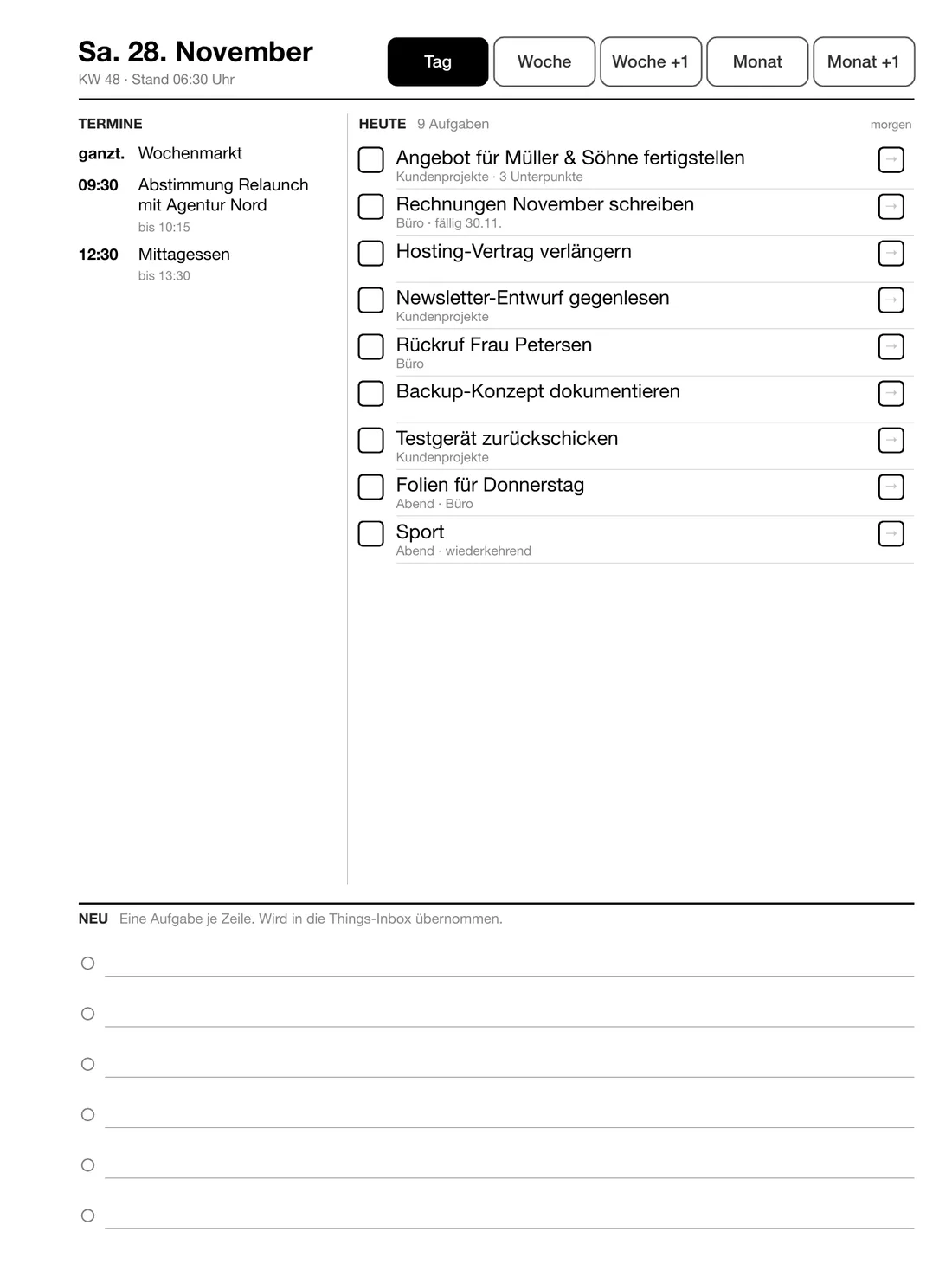
Every morning your planner is waiting on your reMarkable: your day, your week, your month. Pick up the pen and decide, in quiet, what matters. Whatever you check off, move or write down finds its way into Things on its own.
On a screen, you plan in between everything else.
Email, chat, notifications. Planning on a computer means planning with the door open, and the day keeps talking its way in. You end up sorting your inbox, not your priorities.
On paper, only what you write is there. No pop-ups. No feed deciding what looks urgent. Just you, the pen and one question: where do you want to go?
Everyone has something they want to move forward. It needs a quiet place where it comes first.
Paper in the morning. Things is up to date by evening.
No retyping, and no going back to the screen to plan.
Your planner is ready
At the time you choose, your Mac builds the planner from Things and your calendar and puts it on the tablet.
You plan with the pen
Check things off, push them to tomorrow, drop tasks onto a day of the week, write new ones on the lines. Like a notebook.
Things catches up
Every 15 minutes your Mac reads your marks and applies them in Things. Yesterday's planner moves to an archive, with every note you made on it.
Day, week, month. Linked like a notebook with tabs.
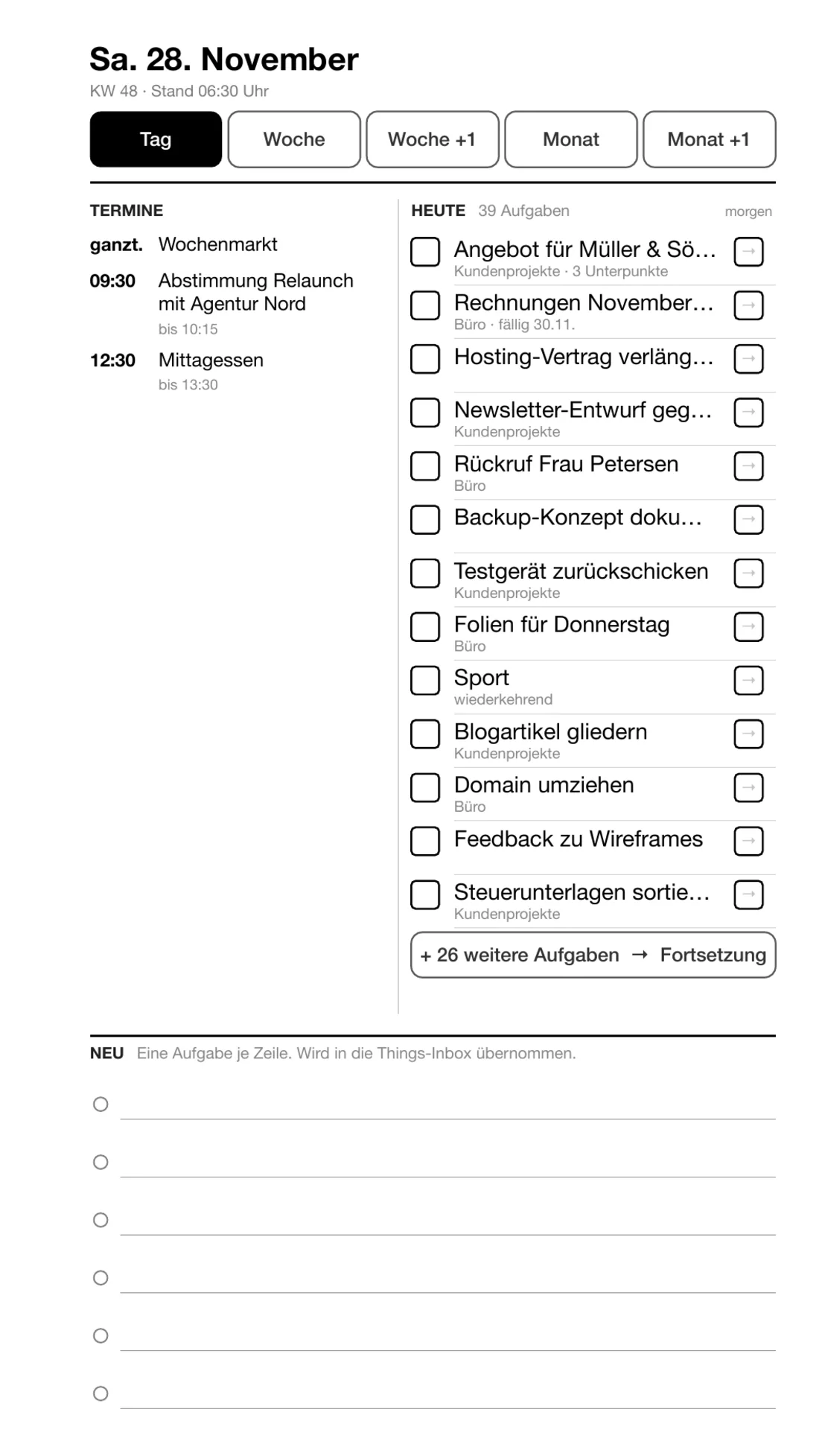
Five pages, one tap on a tab to switch: today, this week and next, this month and next. If the day page fills up, it continues on an overflow page.
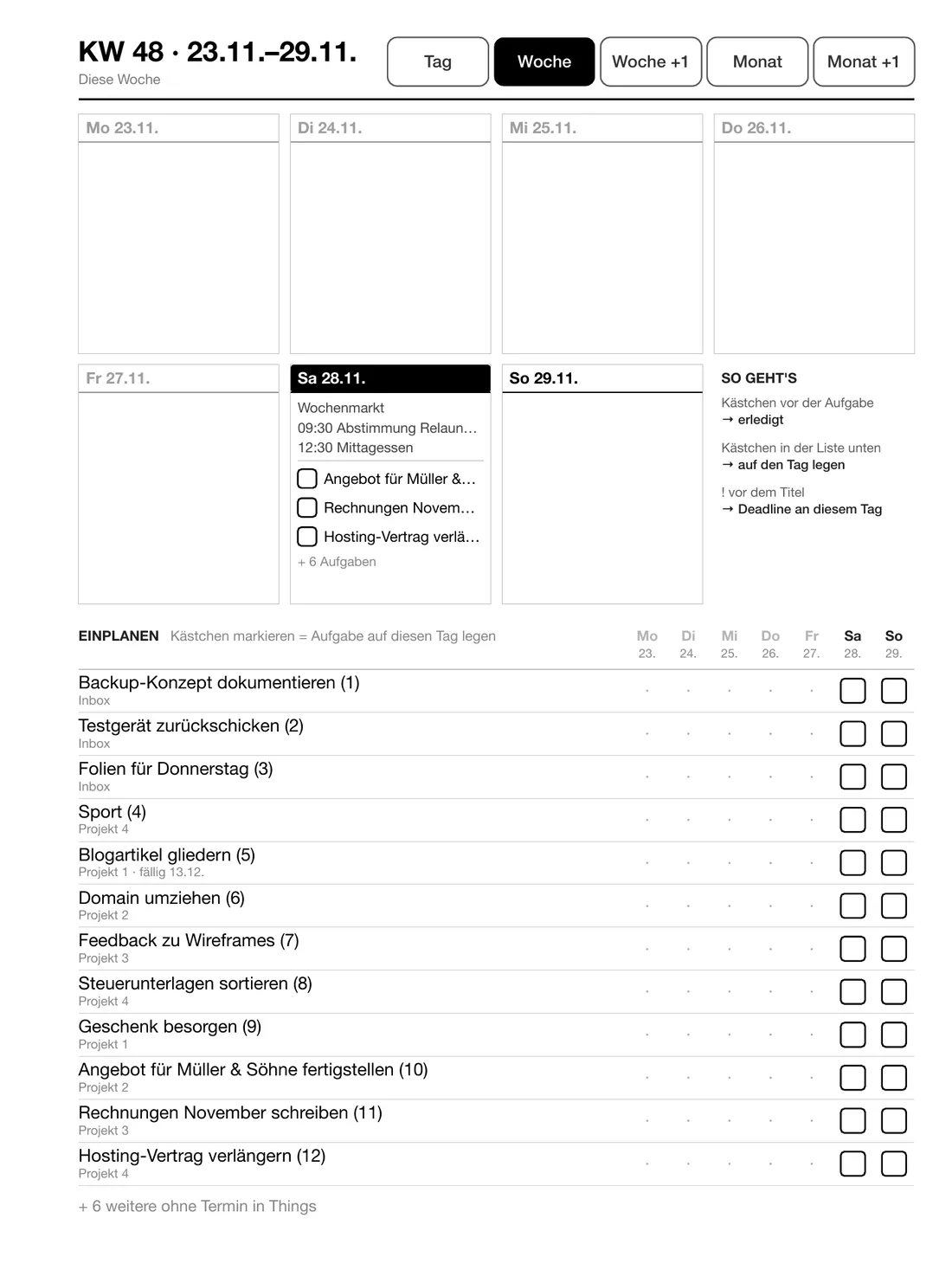
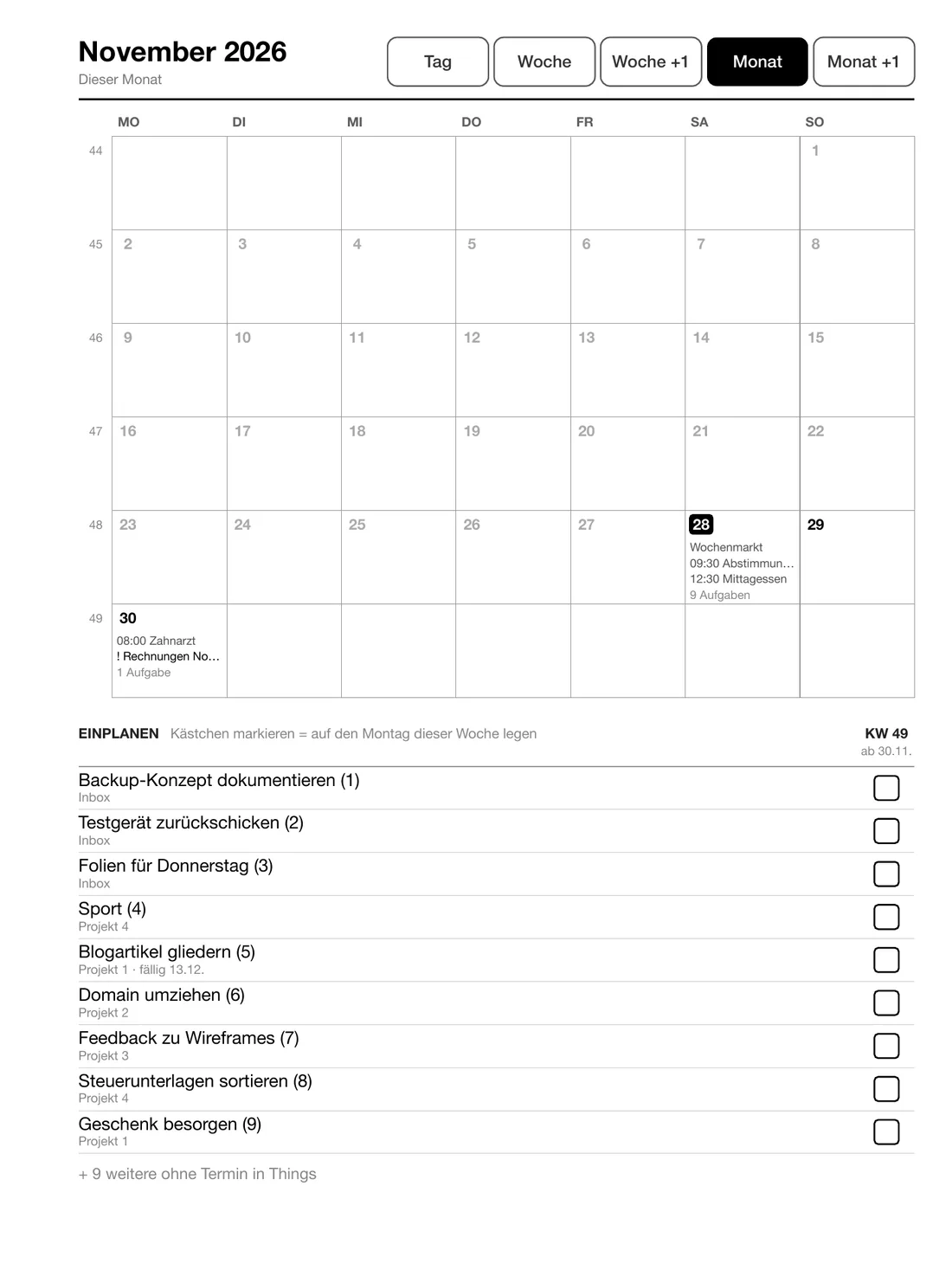
| Box in front of a task | completed in Things |
|---|---|
| “→” box on the day page | moved to tomorrow |
| Day box on the week page | scheduled for that day |
| Week box on the month page | scheduled for that week's Monday |
| Handwriting on the “New” lines | new task in your Inbox |
What you don't need.
- No new accountIt works with Things and your reMarkable cloud. Nothing else.
- No third-party cloud for your tasksYour Things data and calendar stay on your Mac. Only the finished planner travels to the tablet, through your reMarkable cloud.
- No retypingWhat you write on the lines becomes text. A half-written line waits until it is finished before it turns into a task.
- No worrying about your notesIf you like, the app backs up your entire reMarkable library to your Mac or an external drive, every day.
Laid out for your tablet.
Choose the devices you use in Settings. Each gets a planner in its own format, with the toolbar on the side you prefer.
- reMarkable Paper Pro 3:4
- reMarkable 2 3:4
- reMarkable Paper Pro Move 9:16, own layout
Your handwriting should arrive the way you wrote it.
Pro reads your lines with several recognition engines and keeps the best result. That's why we recommend Pro to anyone who writes new tasks on paper.
Recommended · Founder price
Inkward Planner Pro
€79 a year or €7.99 a month
- Daily planner with day, week and month
- Every mark synced back to Things
- Cloud text recognition, several engines, best result wins
- Reads even messy handwriting, in every language
- Daily backup of your reMarkable library
Inkward Planner
€39 a year or €3.99 a month
- Daily planner with day, week and month
- Every mark synced back to Things
- Text recognition on your Mac, good for clear print
- Daily backup of your reMarkable library
Try Pro free for 14 days, then decide. Cancel anytime. Subscribe at launch and keep the founder price.
Questions
Does Things need to be open?
No. Inkward Planner starts Things in the background when needed, reads the current state and applies your marks.
What if my Mac is off in the morning?
Then the planner is created the next time it wakes up. Syncing needs the Mac to be awake and logged in.
Do I lose the notes I wrote on a planner?
No. Older planners move to an archive folder on the tablet and keep everything you wrote on them.
What data leaves my Mac?
The finished planner goes to your tablet through your reMarkable cloud, and your handwriting comes back the same way. Things data and your calendar stay on your Mac. With Pro, the image strips of the “New” lines are also sent to a cloud text recognition service. Only those lines: no tasks, no events, no full pages. Without Pro, your Mac reads the handwriting itself.
Tomorrow morning, your planner is waiting.
Along with a quiet hour for what matters to you.